Track and add requests
The Request tab provides a central place to view all query requests, making it easy to track their progress. It easy to collaborate on query requests, as users can see who is assigned to the request and add updates or comments. Also helps to ensure accountability, as users can see the status of their requests and when they can expect them to be resolved.
Requests page
Every request will have the following fields
- Type of request
- Description of request
- Status of request - shows if the request is successfully approved or rejected.
- Tracking information
- Company - this shows which company the request is for.
- Creator of the request
- Date of request
- Tracking Information - The tracking information shows the following:- Who is assigned to the request- The current status of the request- Any updates or comments on the request
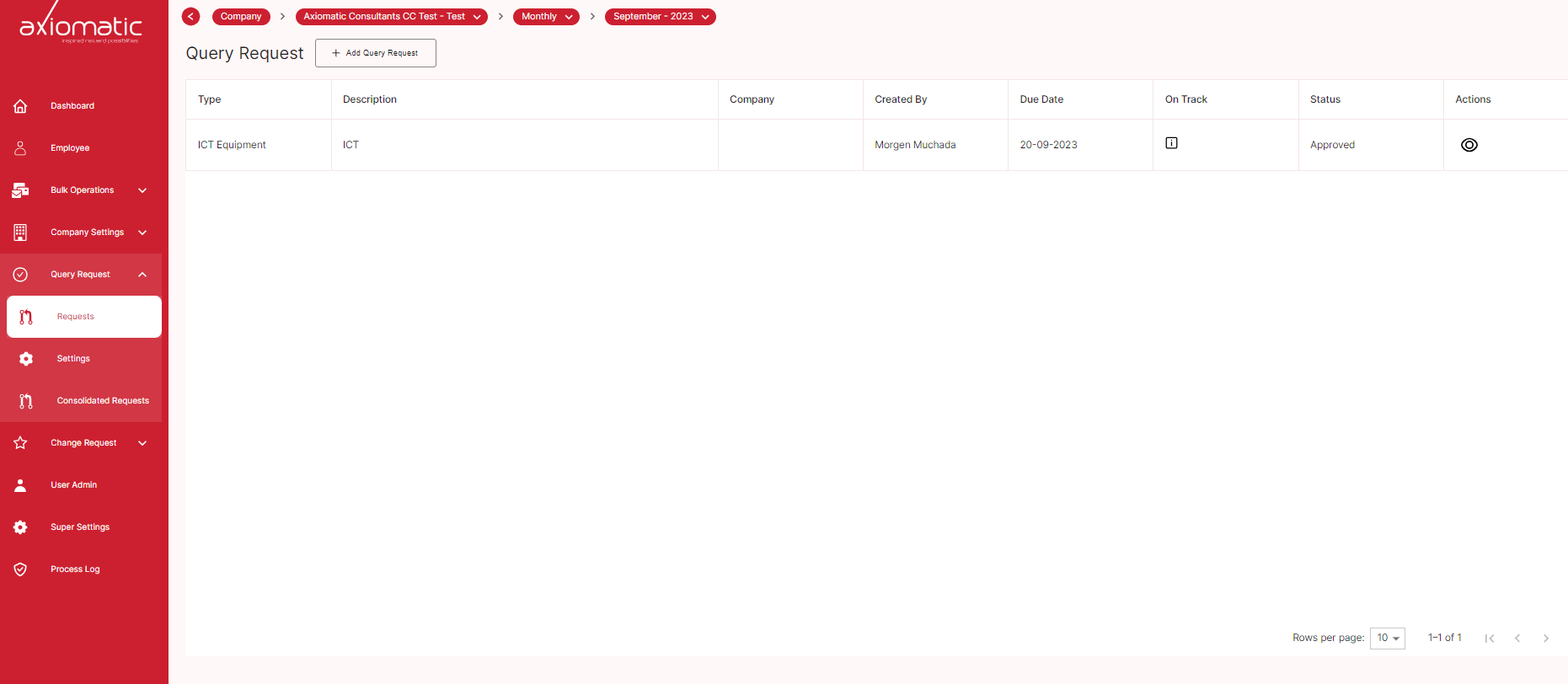
To view more information about a request, click on the request. This will open a new page with detailed information about the request, including the tracking information and the company.
Adding new query requests
You can also use the Request tab to create new query requests. To do this, click the Add Query Request button. This will open a new pop-up window.
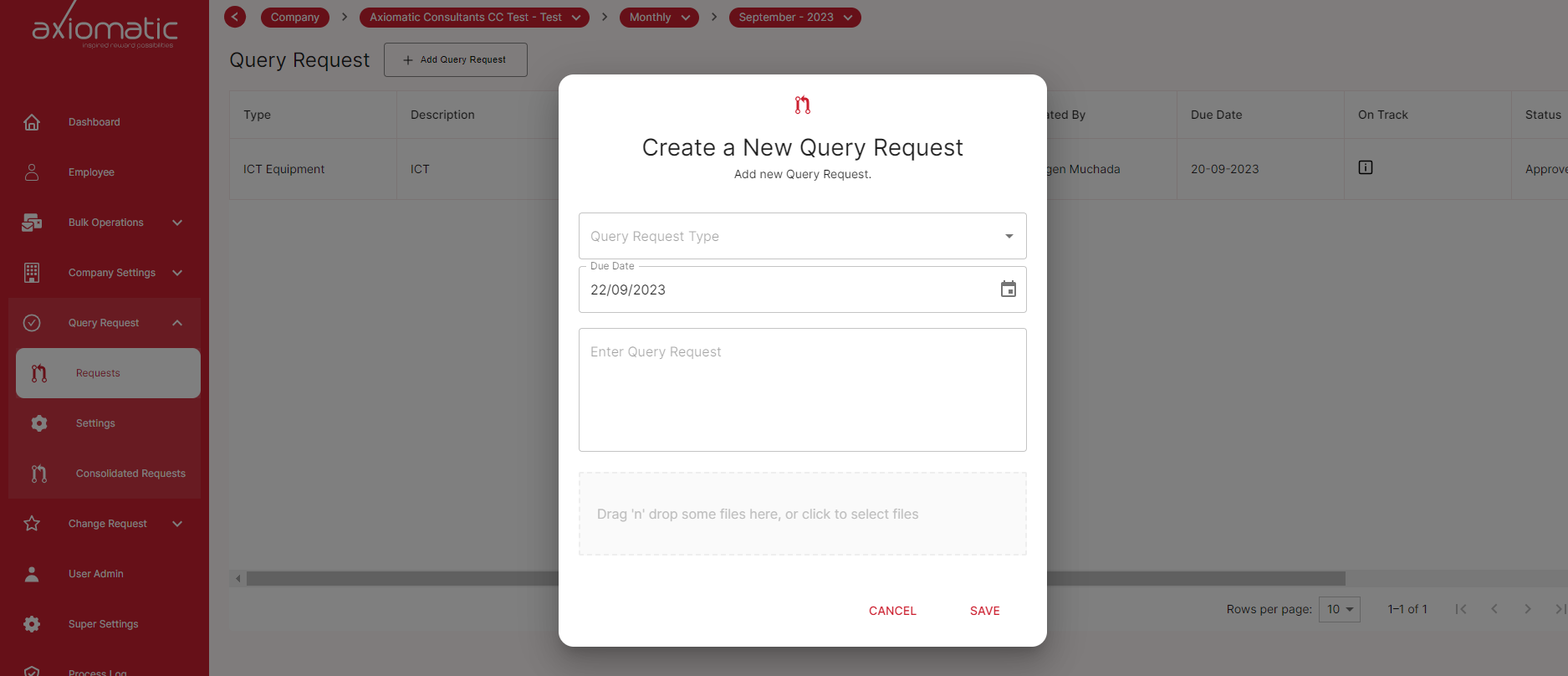
In the pop-up window, enter the following information:
- Request type
- Date
- Description of request -Enter a brief description of your query request.
- Attachments
Once you have entered all of the required information, click the Create Request button. Your new query request will be created and added to the Request tab.
You can then track the progress of your query request and add updates or comments as needed.
Here are some tips for adding query requests:
Be as specific as possible when describing your request. If you have any relevant attachments, such as screenshots or log files, please include them with your request. If you are unsure of the type of request to create, please select the Other option and provide a brief description of your request. Our team will review your query request as soon as possible and will be in touch with you if we have any questions.
Tracking the progress of a query request: The Request tab makes it easy to track the progress of a query request, from the time it is created to the time it is resolved.
Reviewing the status of all query requests: The Request tab can be used to review the status of all query requests, making it easy to identify any requests that are overdue or need attention. Conclusion The Request tab is a valuable tool that can be used to track, collaborate on, and review query requests.