Consolidated Request
The Consolidated Request Page shows all the requests made by users, regardless of the type of request.
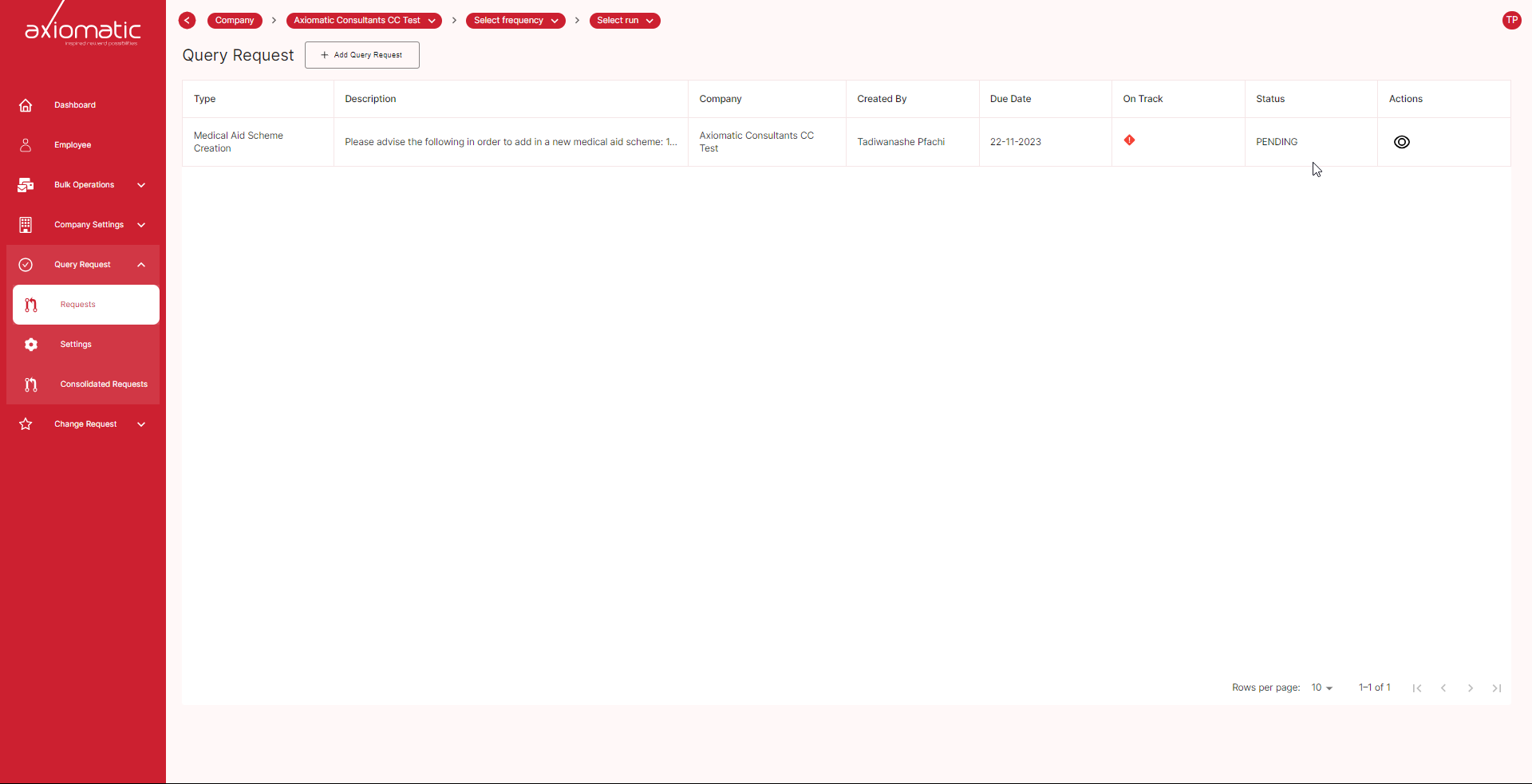
On the Consolidated Request Page, you can see the following information for each request:
- Date of request
- Type of request
- Description of request
- Status of request
- Tracking information
- Company
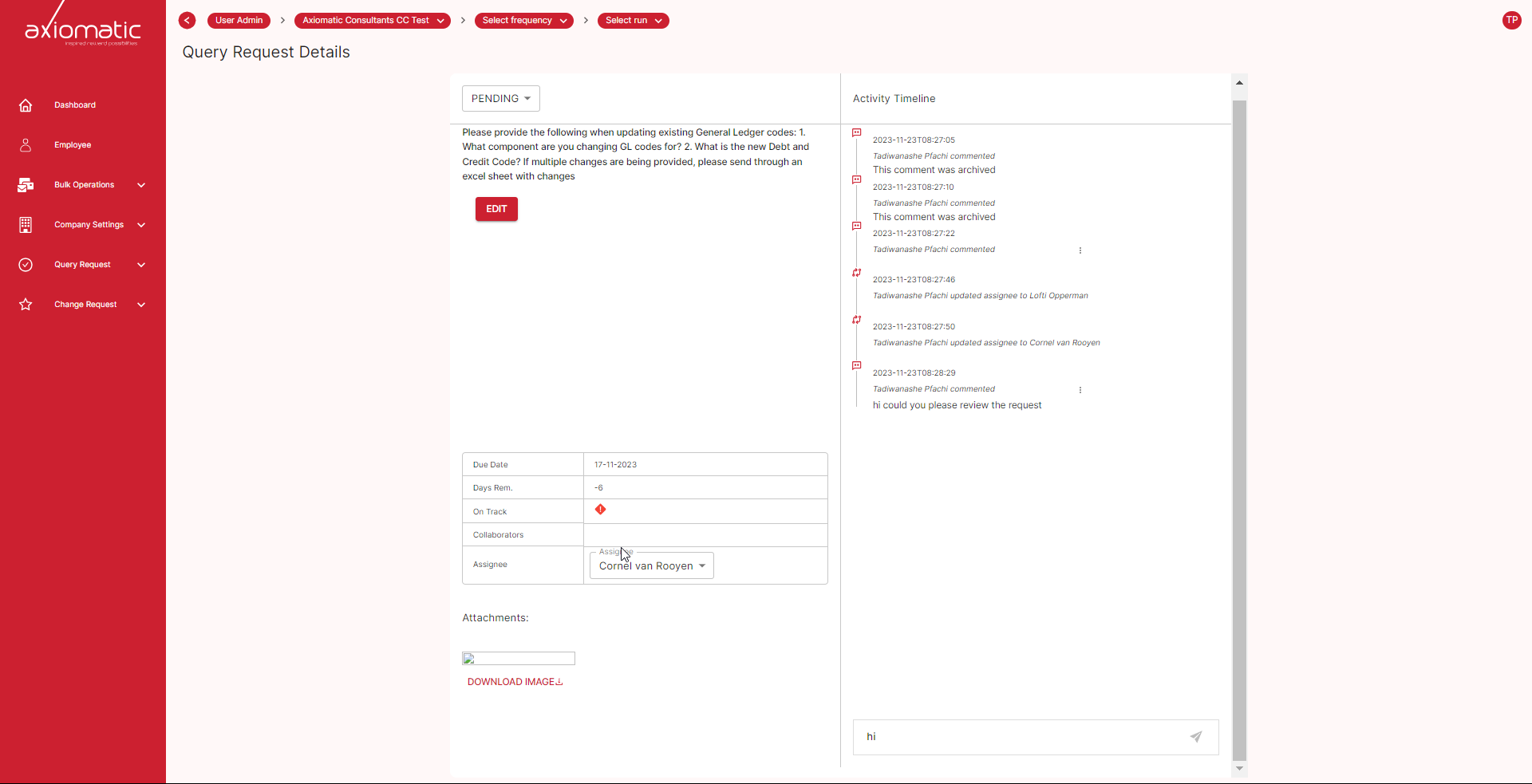
- Tracking information shows who is assigned to the request, the current status of the request, and any updates or comments on the request.
To view more information about a request, click on the actions button. This will open a new page with detailed information about the request, including the tracking information and the comments.
You can also use the Consolidated Request Page to filter and sort requests. To filter requests, click on the Filter button and select the criteria you want to filter by. To sort requests, click on the column header you want to sort by.
The Consolidated Request Page is a valuable tool for tracking the progress of your requests and ensuring that they are being addressed.