Editing Fields
The Editing Tab serves as your central hub for data management within the Axiomatic Online platform. It empowers to maintain precise and up-to-date employee records effortlessly. Whether you need to update personal details, adjust tax profiles, or manage recurring payments, this tab provides a streamlined and user-friendly interface to accomplish these tasks seamlessly.
How to Edit Fields
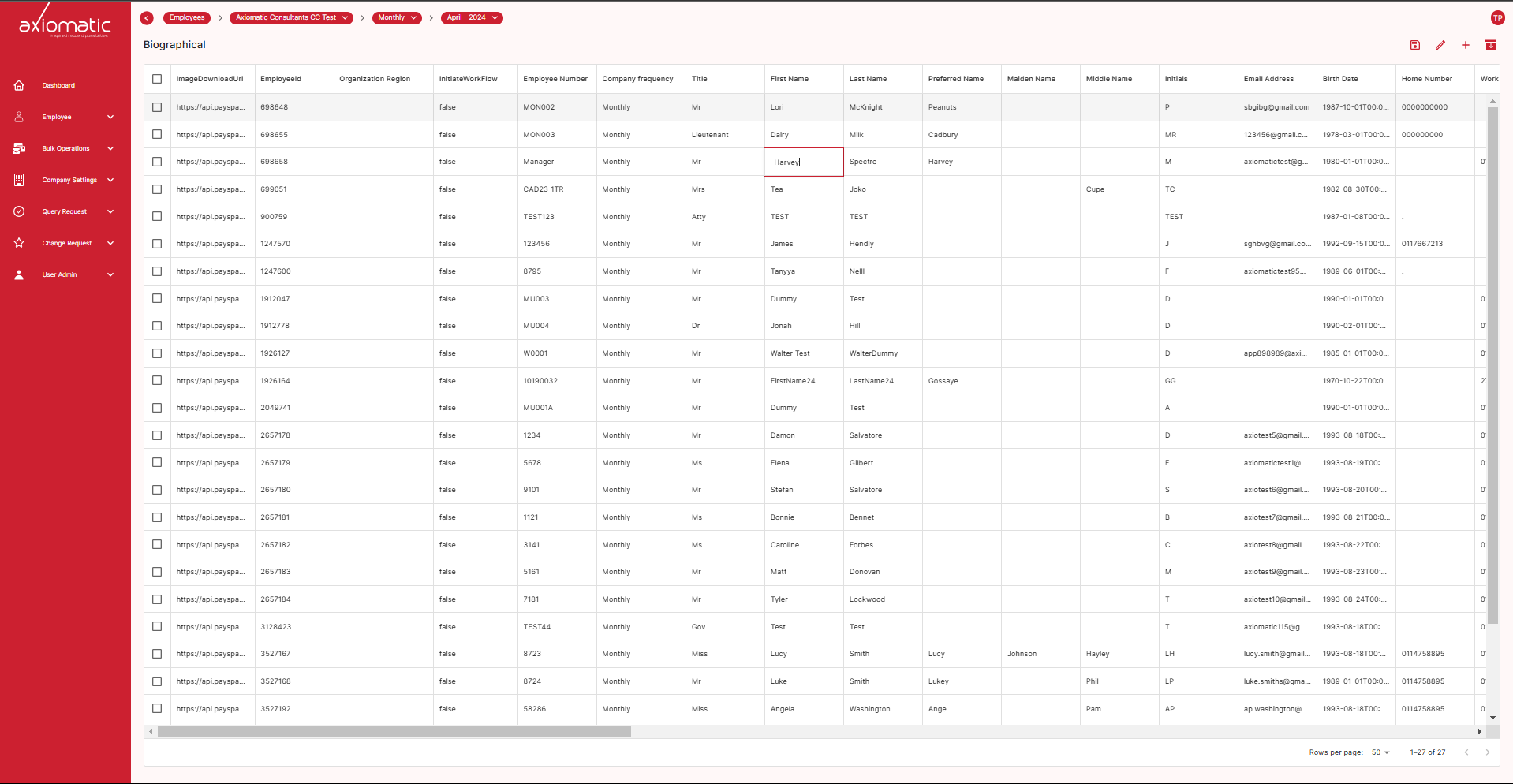
Updating employee fields is a breeze! Simply locate the employee’s information within the table. Double-click directly on the field you want to edit (name, email, etc.). This will activate “edit mode” for the entire row, highlighting the selected cell for clarity. Make your changes as needed, and once you’re finished, simply press the “Enter” key on your keyboard. Axiomatic will automatically save your edits and convert them into a change request. This ensures proper tracking and approval before the updated information becomes final.