Company Settings Fields
This page allows you to manage the visibility, editability, and disabled state of component code within Axiomatic.
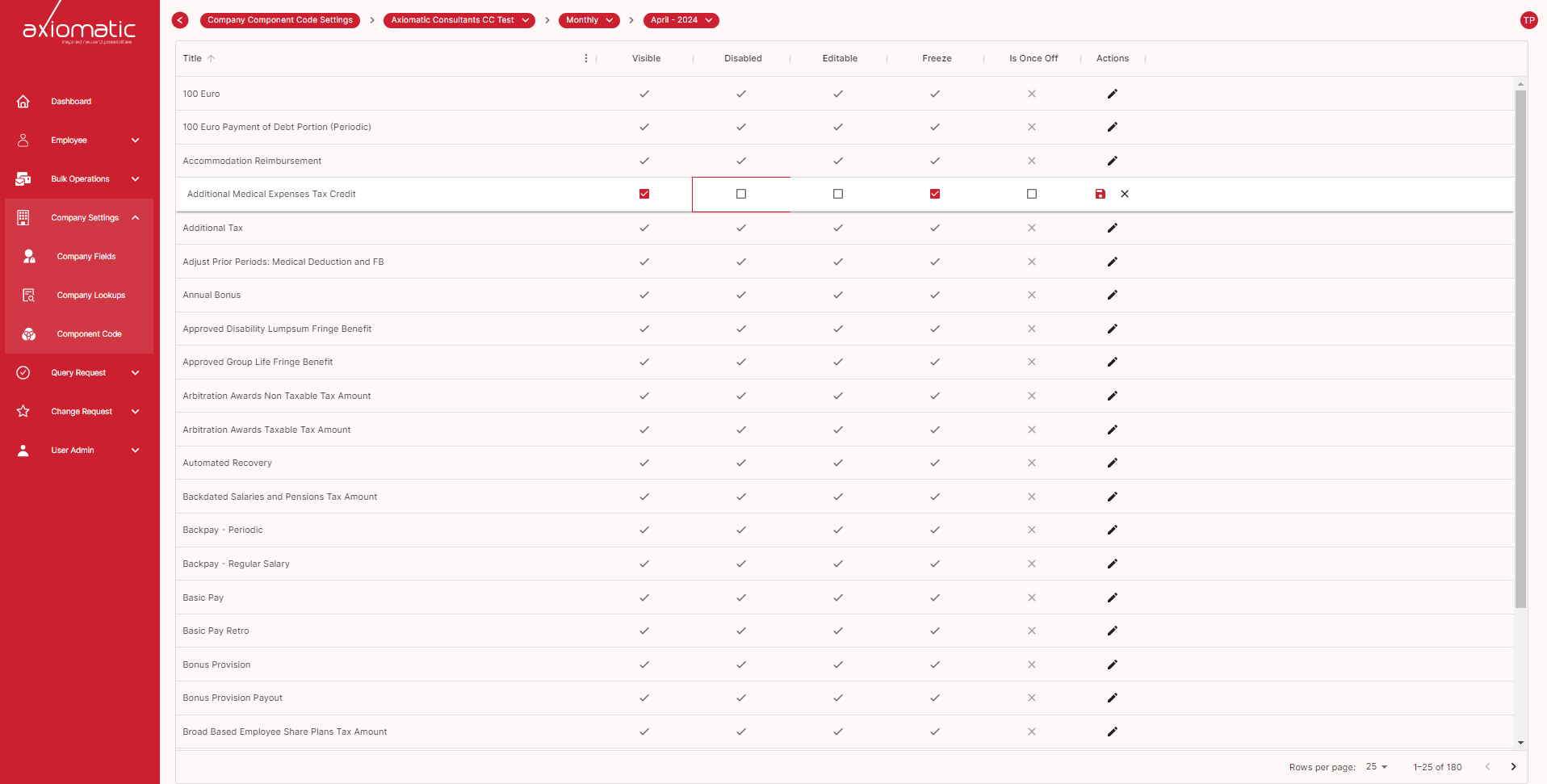
Controlling Component Code Access
Axiomatic provides granular control over how users interact with component code. Here’s how you can manage these permissions:
Visibility
Public: The code is fully visible and editable by authorized users. Private: The code is hidden from view but authorized users can still edit it. Protected: The code is visible but editing is restricted.
Editability
Enabled: Authorized users can modify the code. Disabled: Editing the code is blocked, even for authorized users.
Disabled
Enabled: The component functions normally. Disabled: The component is rendered inoperable. Note: To manage user authorization for these settings, please refer to the Axiomatic User Management documentation.
Using the Component Code Settings Page
Select a Component: In the Axiomatic interface, navigate to the component you want to manage. Open Settings: Locate and click the “Component Code Settings” option. This will open the dedicated settings page. Configure Settings: Visibility: Choose the desired visibility level (Public, Private, or Protected) from the dropdown menu. Editability: Toggle the “Editable” switch to enable or disable editing. Disabled: Toggle the “Disabled” switch to enable or disable the component functionality. Save Changes: Click the “Save” button to apply your configuration. Important Considerations:
Disabling editability prevents all users, including yourself, from modifying the code until it’s re-enabled. Disabling a component removes it from the application flow, effectively hiding it from users. By effectively using these settings, you can ensure a secure and well-managed development environment within Axiomatic.