Change Request Drafts
The Drafts page in the Changes Request tab allows users to see all changes requests made, with change status set as draft and upload status is pending. This means that these changes have not yet been submitted for review or approval. This can be helpful if you are working on a change that is not yet ready for review, or if you want to save your work in progress so that you can come back to it later.
What does the Drafts Page Show?
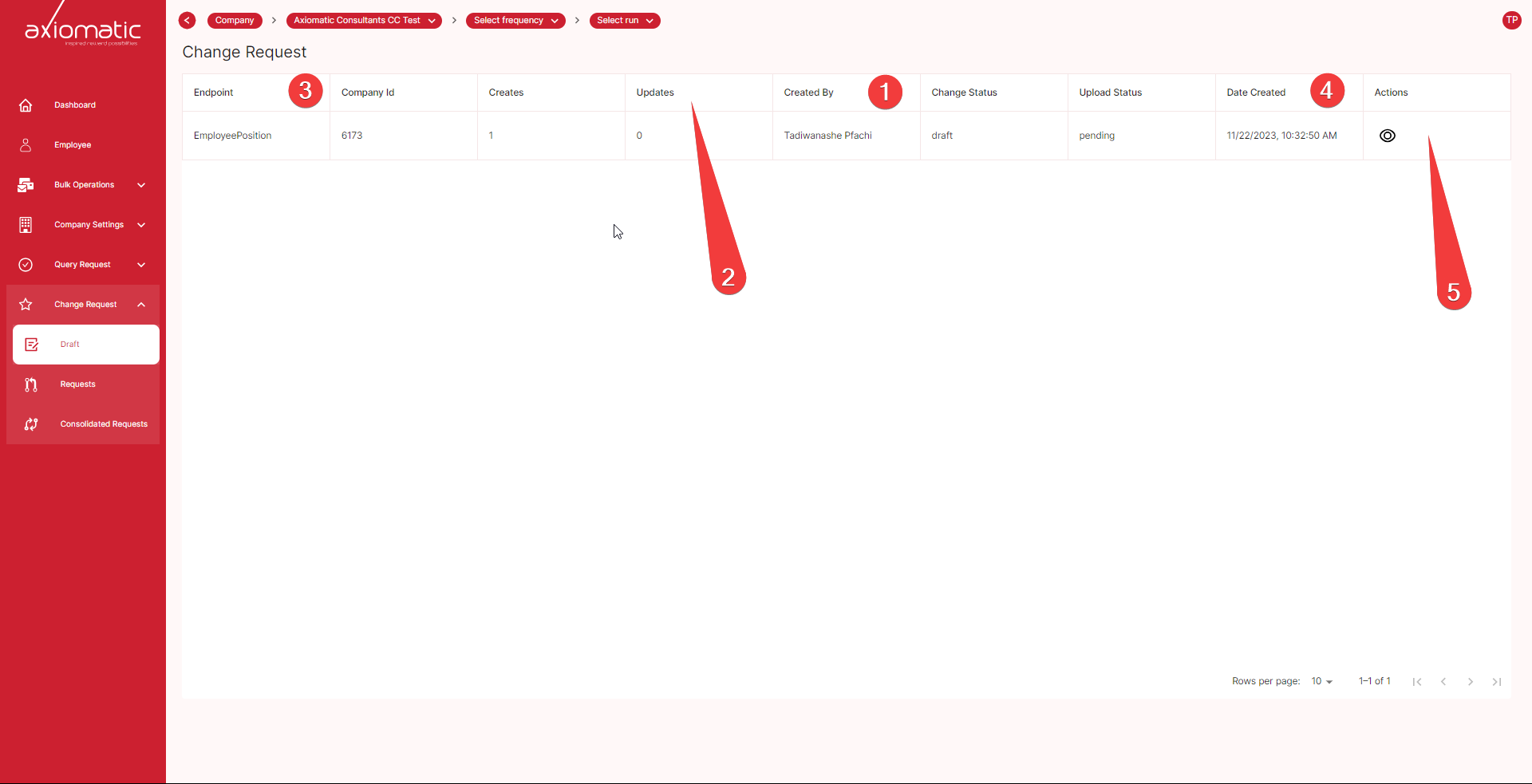
The Drafts page shows the following information for each change request that is in draft status:
1. Who made the change request: This shows the name of the user who created the change request.
2. Number of updates: This shows the number of times the change request has been updated.
3. Endpoint: This shows the endpoint that the change request affects.
4. Date: This shows the date that the change request was created.
5. Actions: To view the change request details continue to Actions by pressing the eye 👁️ icon.
Change Request Details
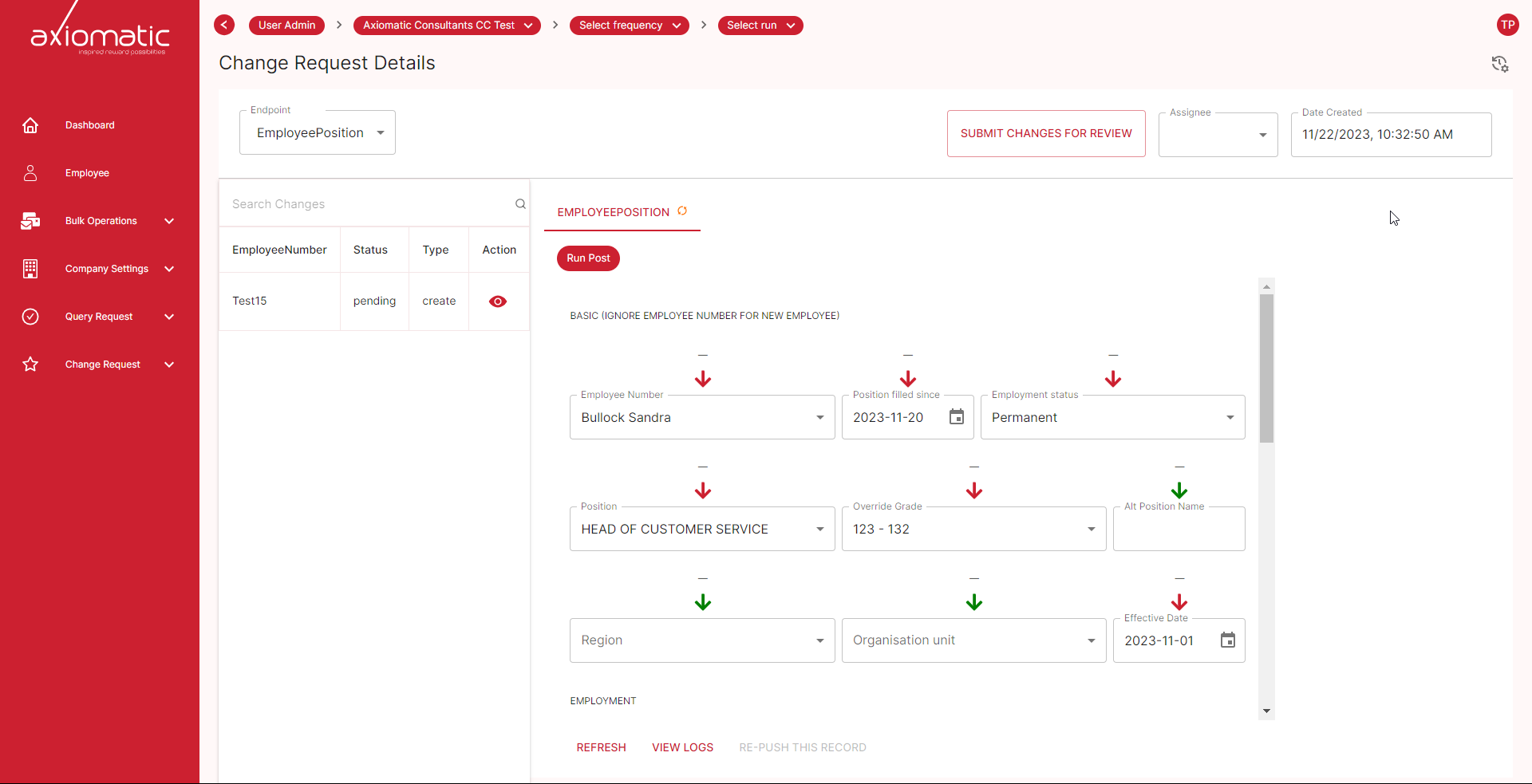
The change request details view provides a comprehensive overview of the changes made, allowing users to thoroughly review and understand the modifications. Users can easily identify the fields where changes have been made by observing the color-coded arrow icons. Red arrows indicate edited fields, while green arrows represent fields that remain unchanged. This visual distinction facilitates a quick assessment of the changes implemented.
In addition to viewing the changes, users can also choose or assign a reviewer to evaluate the change request. This ensures that the modifications are carefully scrutinized before being implemented. Additionally, users can access the change request logs to track the history of edits and modifications. This detailed log provides valuable insights into the evolution of the change request.
Furthermore, users can make further changes to the change request directly within the details view. This flexibility allows for refinement of the proposed modifications before submission. Once the user is satisfied with the changes, they can seamlessly submit the change request for review, initiating the approval process.
Drafts helps you to track changes that you have made but have not yet submitted. It allows you to save your work in progress so that you can come back to it later. It makes it easy to submit changes for review once you are ready.